Free
$0
12-question document-import preview. No credit card required.
Build an XLSForm free
Word to XLSForm converter
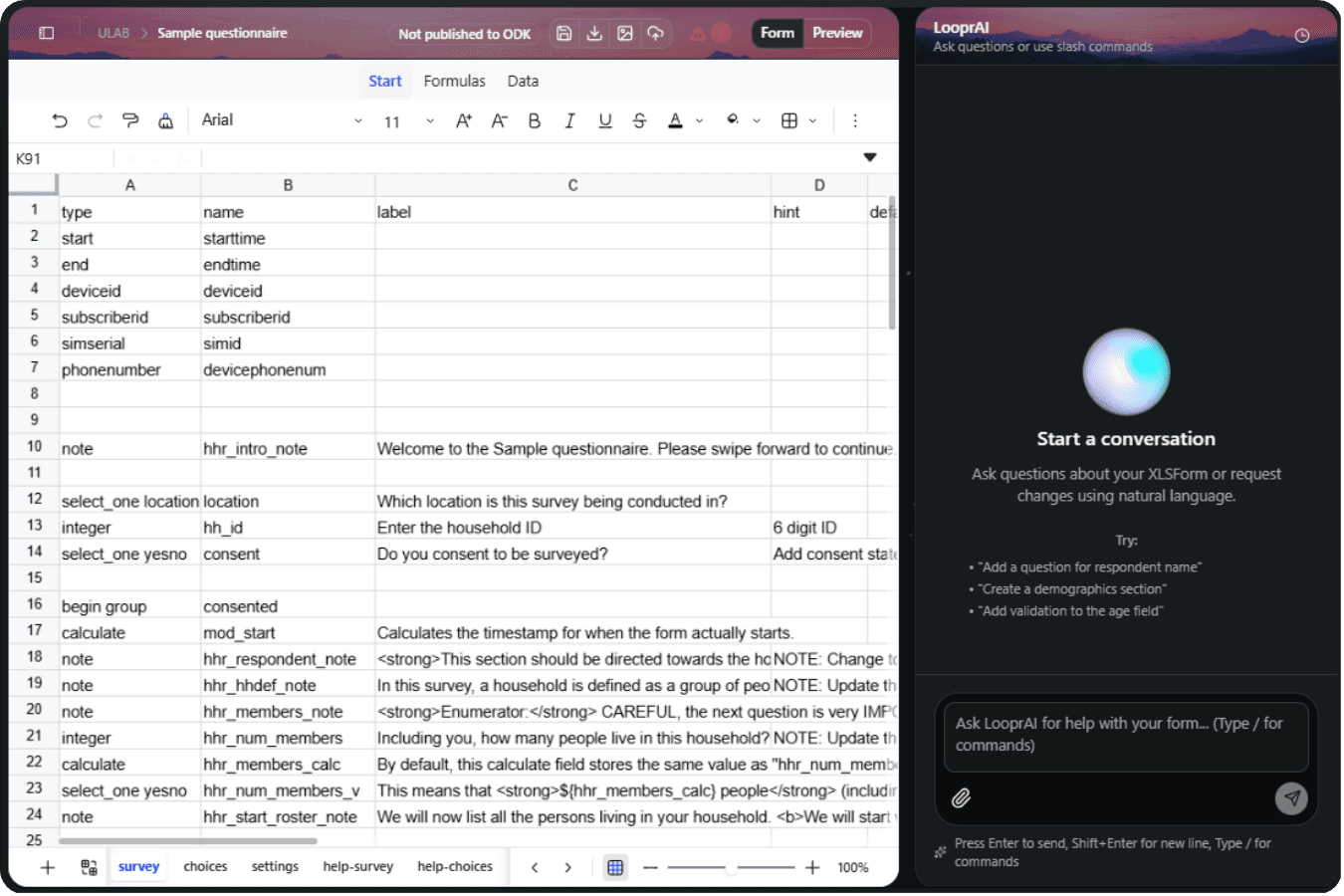
LooprAI converts a DOCX questionnaire into an editable XLSForm workbook for ODK. It detects questions, response choices, sections, and written skip instructions, then builds a draft for review. You validate every field, preview the form, and download XLSX. The free workspace previews the first 12 questions; larger imports require Pro.
Verified July 27, 2026
No credit card required. Free document imports preview the first 12 questions.
Human review required
It attempts question and type extraction, response-choice mapping, section grouping, and skip-instruction interpretation.
It builds a draft; it does not promise perfect preservation, field readiness, or correct methodology.
Conversion workflow
Upload the Word questionnaire to the authenticated LooprAI workspace.
Review generated questions, choices, sections, and inferred instructions.
Run ODK validation, preview the form, and resolve issues you find.
Download XLSX or publish to an eligible SurveyLoopr-hosted ODK Central server.
Human review required
Review the original source alongside the editable workbook, then validate and submit a test submission before fieldwork.
Source-file boundaries
Free and Pro
Free
12-question document-import preview. No credit card required.
Build an XLSForm freeWorkspace Pro
or $529/year
Removes the free-tier document-import caps for teams that need a larger conversion workflow.
Upgrade to Workspace ProFAQs
Yes, when the questionnaire is a DOCX file. LooprAI reads detected questions, response choices, sections, and written instructions, then creates an editable XLSForm draft. Review every generated field, validate the workbook, preview the flow, and submit representative test records before fieldwork.
No. The production import flow supports DOCX, not the older binary DOC format. Open the legacy document in Microsoft Word or another compatible editor, save it as DOCX, and then import that copy. Check the converted questionnaire against the original before use.
The free workspace previews the first 12 questions from a supported document and requires no credit card. Larger document imports require LooprAI Pro. The free result remains editable, so review the generated structure and test the form before deciding whether to upgrade.
Upload DOCX in the authenticated LooprAI workspace. LooprAI interprets the document and builds an editable XLSForm workbook. You inspect questions and choices, run ODK validation, preview the form, then download XLSX or publish to an eligible SurveyLoopr-hosted ODK Central server.
LooprAI attempts to map clearly labelled response options into XLSForm choice lists. Tables, inconsistent numbering, or ambiguous labels can produce the wrong stored values or references. Compare every generated option with the DOCX source and test select-one and select-multiple questions before fieldwork.
LooprAI can interpret questionnaire content found in DOCX tables, but complex merged cells, visual layouts, and nested tables can be ambiguous. Review question order, labels, choices, and section boundaries in the generated workbook, then correct any structure that does not match the source.
LooprAI attempts to translate clear written skip instructions into editable XLSForm relevance rules. Ambiguous wording and references still require human judgment. Compare every generated condition with the original questionnaire, exercise every branch in preview, and submit representative test records before deployment.
LooprAI attempts to identify headings and section boundaries and represent them as editable XLSForm groups where appropriate. Document formatting varies, so verify group order, labels, repeat behavior, and question placement. Adjust the workbook whenever the generated structure differs from the intended interview flow.
LooprAI may detect multilingual questionnaire text, but conversion does not guarantee complete or correct XLSForm translation columns. Verify every language, choice label, hint, and message with a fluent reviewer. Confirm the language selector and fallback behavior during preview before collecting real submissions.
A DOCX import can identify questionnaire text around media, but referenced images, audio, video, or external files still need manual review and upload. Confirm each XLSForm media filename, add the required files through the workspace media controls, and test them in the destination form.
LooprAI can check the workbook against ODK rules and surface structural or reference errors. ODK validation does not verify research design, safeguarding, translation quality, question wording, or real field behavior. Review the form, preview it, and complete representative test submissions yourself.
Yes. The result is an editable workbook rather than a locked export. Change cells directly or request LooprAI revisions, then validate and preview again. Human review remains necessary for wording, stored values, required settings, groups, logic, calculations, constraints, translations, and media.
Yes. After review, download the current workbook as a standard XLSX XLSForm for manual upload to another compatible platform. Run validation and test the downloaded file in its destination because supported XLSForm features and operational behavior can differ between platforms.
Yes. The downloaded XLSX can be uploaded manually to compatible platforms such as ODK Central or KoboToolbox. Test the workbook in the target platform first because feature support and workflows can differ. SurveyLoopr does not promise identical behavior across every XLSForm implementation.
Direct publishing is limited to a SurveyLoopr-hosted ODK Central server associated with the user's account. For another ODK Central server or KoboToolbox, download the XLSX and upload it manually. Review validation results, media, and representative test submissions before any publishing decision.
Ready to inspect the workbook?
Need implementation steps before you start? Read the questionnaire conversion guide.
Build an XLSForm free